Laptop chargers—those trusty companions of our portable computers—have a persistent issue that many users find irksome: overheating. While it may seem like a trivial annoyance, the reality is that overheating can lead to damage not only to the charger itself but also to the laptop and even pose a safety hazard. Understanding the main factors that contribute to laptop charger overheating can help you prevent these problems and ensure your device runs optimally.
Identifying the Root Causes of Overheating
To tackle the problem of overheating chargers, you must first identify the factors responsible for this common issue. Many users overlook seemingly insignificant details, such as the placement of the charger or its proximity to heat sources, but these can be more crucial than you think. Excessive heat buildup can severely impact the lifespan of electronic components, including your laptop’s battery.
Poor ventilation is a leading cause of charger overheating. If a charger is placed on a soft surface like a bed or a couch, it can restrict airflow, trapping heat and causing temperatures to soar. Always try to place your charger on a hard, flat surface to allow air to circulate freely. Additionally, consider the ambient temperature; using your laptop in a warm environment can exacerbate overheating issues.
Stress on the charging components can also come from overloading the device with too many resource-intensive tasks. Running applications that require high CPU usage or connecting multiple peripherals can draw more power, thus increasing the strain on both the charger and the laptop. This, in turn, heightens the risk of overheating.
- Consider the ambient room temperature.
- Ensure proper ventilation for the charger.
- Avoid overloading the charger with demanding tasks.
- Use factory-recommended equipment.
The Impact of Low-Quality Chargers
Not all chargers are created equal. Using non-original or low-quality chargers can significantly increase the risk of overheating. Such chargers may not be designed to handle your laptop’s power requirements, leading to excessive heat generation. These cheap alternatives often lack the necessary safety features built into OEM (Original Equipment Manufacturer) chargers.
Moreover, substandard chargers may not regulate the power flow efficiently. This results in inconsistent voltage delivery, causing the charger to overheat as it struggles to maintain a stable output. Experts recommend sticking to chargers that are specifically designed and tested for your laptop model.
According to tech expert Harry Watson, “Using an OEM charger is like applying the recommended oil type for your car. It might be tempting to opt for a cheaper option, but it doesn’t provide the same performance or protection.”
Additionally, the fuse protection in quality chargers prevents excessive current from damaging the charger and connected devices. Without such safeguards, cheap chargers can also lead to safety issues, including the risk of fire. Always inspect the charger for signs of overheating, such as discoloration or a distinct burning smell.
Correct Usage and Maintenance Tips
Proper maintenance and usage are essential in mitigating overheating problems. One simple yet effective technique is to unplug the charger when it’s not in use. Allowing the charger to remain connected, even when the laptop is fully charged, can generate unnecessary heat and wear down its components over time.
Another common mistake is leaving the charger plugged in while it’s coiled, resulting in heat accumulation. Ensure the cable is spread out and not tangled to enhance heat dissipation. Regularly cleaning the charger and cable from dust and dirt buildup can also improve performance and longevity.
- Unplug the charger when it’s not needed.
- Avoid coiling or tightly binding the cable during use.
- Regularly inspect and clean the charger.
- Monitor for signs of wear and potential damage.
For additional design inspiration on maintaining aesthetic and functional interiors while housing your tech appliances, consider exploring more through Arched structures in the interior: style, types, design and decoration.
Recognizing the Signs of Overheating
It’s crucial to recognize when your charger is overheating. This involves looking out for physical signs such as a charger that’s too hot to touch, or if you notice your device is charging slower than usual. In extreme cases, this could indicate the internal components are struggling to maintain power delivery.
Another easy-to-spot sign is if your laptop’s battery level is consistently depleting faster than normal while it’s connected to the power source. This could be due to the charger not functioning optimally, which can result from excessive heat. Addressing these issues early can save you from costly repairs later on.
“Many users ignore the signs of overheating until it’s too late,” remarks technician Karen Hooper. “Noticing the early signs allows you to take preventive measures and extend the life of your equipment.”
Addressing Compatibility and Connection Issues
Compatibility can play a significant role in whether a charger overheats or not. Ensure you are using the correct wattage required for your specific laptop model. A mismatched charger can lead to inefficiencies and cause it to work harder than necessary, resulting in excess heat.
Check all connections before plugging in your charger. A loose or faulty connection can cause the charger to exert more energy, producing additional heat as it tries harder to maintain a steady charge to the device. It’s advised to test the charger with another compatible device to rule out any laptop-specific issues.
- Verify charger compatibility and wattage requirements.
- Ensure all connections are secure and working.
- Test the charger with a different device if necessary.
- Replace worn-out connectors to maintain performance.
The Role of Design in Managing Power
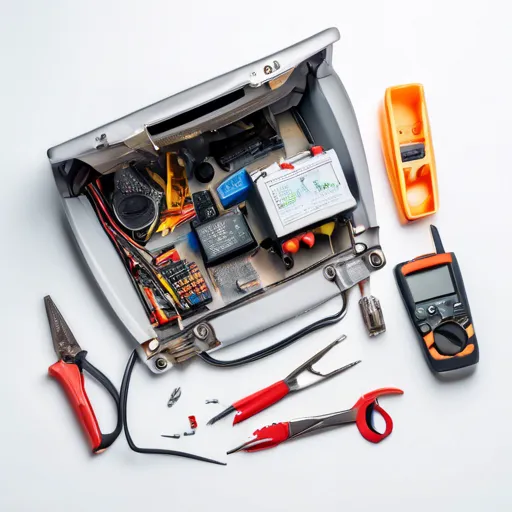
When examining the issues around overheating, one cannot ignore the role of design in contemporary electronics. Manufacturers strive to strike a balance between aesthetic appeal and functional efficiency but occasionally, design elements may compromise effective heat management. For instance, integrated cable designs frequently reduce the number of heat dissipation pathways.
Some newer designs, though sleek, can inadvertently limit airflow around the power supply units. Investing in well-ventilated charging platforms or stands can alleviate these design-related issues, promoting better heat management for both the laptop and its charger.
Technology Trends and Safe Practices
In the ever-evolving world of technology, manufacturers are constantly developing new solutions to tackle overheating chargers. New advancements include smart charging technology, which optimizes power flow and reduces excess heat generation. This approach helps maintain optimal temperatures while enhancing the charge cycle of the battery.
Another trend includes wireless charging pads that bypass the traditional cable and plug design altogether. These pads often include built-in fans to enhance cooling, showcasing how innovation is targeting the primary causes of charger overheating. As technology advances, users can also keep an eye on simple, traditional solutions that continue to serve them well.

Cultivating Awareness and Responsible Use
Awareness and responsibility are integral to reducing the risks associated with overheating chargers. While technological advances offer promising solutions, user habits and knowledge remain key to preventing damage and ensuring safety. Engaging in regular checks and utilizing quality equipment contribute significantly to charger and device longevity.
Resources, guides, and community forums serve as excellent platforms to stay informed about the latest developments in safe charging. In addition, discovering creative home decor ideas, such as using elegant glass jars, enhances the visual appeal while allowing for practical wire management solutions; insights are readily available through 10 Simple Interior Decorating Ideas Using Glass Jars (27 Photos).
- Engage in community forums for up-to-date insights.
- Attend workshops and read guides on charger care.
- Use regulated charging equipment for safety.
- Implement creative storage solutions for more organized environments.
Comparative Overview of Laptop Charging Factors
| Factor | Effect on Temperature | Preventive Measure |
|---|---|---|
| Poor Ventilation | Increases temperature quickly | Ensure open airflow |
| Low-Quality Chargers | Leads to unstable power flow | Use OEM chargers |
| Incompatible Power Requirements | Causes unnecessary strain | Check specifications |
| Design Limitations | Hampers heat dissipation | Utilize ventilated stands |
| Faulty Connections | Contributes to overheating | Secure all connections |
“Understanding these factors can lead to a safer and more efficient charging experience,” notes science writer Emma Roberts. “By aligning user practices with technical advancements, we can truly maximize the performance and durability of our devices.”
In an age where laptops are indispensable tools, understanding the causes and solutions to charger overheating is vital. By considering these factors, users can cultivate safer practices and embrace new technologies that pave the way for a cooler, more efficient future of mobile computing.
FAQ
Why do laptop chargers overheat?
Laptop chargers can overheat due to dust buildup, faulty components, or using an incorrect charger. Overheating can affect performance and lead to potential hazards.
How can I prevent charger overheating?
To prevent overheating, ensure proper ventilation, regularly clean dust from vents, and use the correct charger model. Avoid charging on soft surfaces that can block airflow.
What are signs of an overheating charger?
Signs include a very hot charger surface, unusual noises, or a burning smell. If you notice these, unplug the charger and check for visible damage.
Can an overheating charger damage my laptop?
Yes, an overheating charger can cause damage to your laptop’s battery and internal components over time. Consistent overheating may lead to reduced device performance.